
Hotels And Resorts
Use QR/PIN access to reduce repeated front-desk handoff for selected hotel workflows while keeping RFID card access available for traditional operations.
YOUNUO IET B2B Solution
YOUNUO QR code hotel lock solution planning for JoyInn front desk workflows, H5 room cards, QR/PIN/RFID card access, staff permissions, device binding, API/PMS interface support, online or offline deployment review and YOUNUO-managed software maintenance.
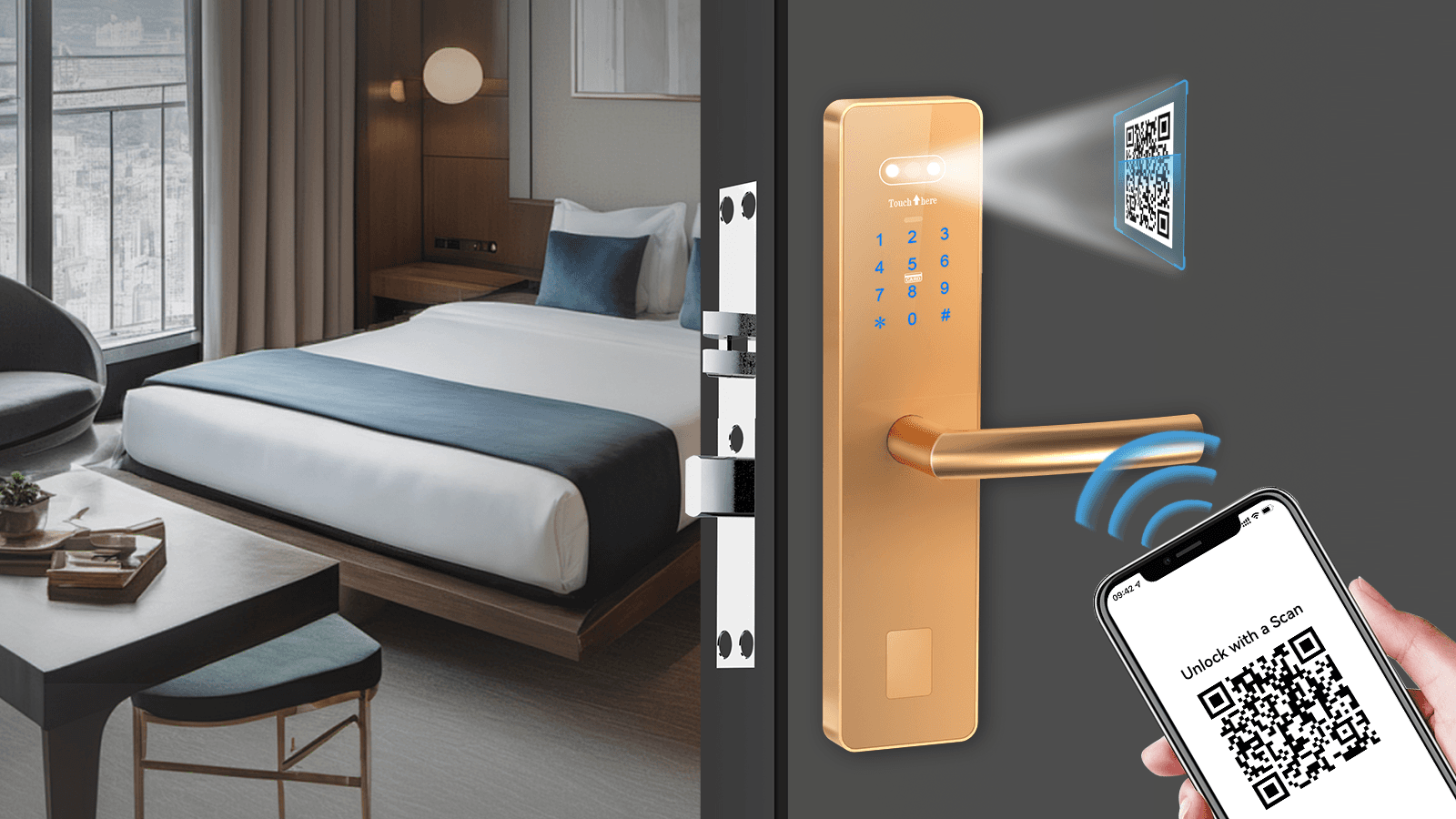
QR hotel lock solution
Use QR/PIN access to reduce repeated front-desk handoff for selected hotel workflows while keeping RFID card access available for traditional operations.
Plan guest room access, common doors and staff permissions for multi-room rental or serviced apartment projects.
Discuss H5 room-card delivery, QR/PIN access, RFID card access and offline or online deployment requirements before selecting YOUNUO QR hotel lock hardware.
For renovated hotels keeping an existing PMS, review API/interface requirements so the YOUNUO QR hotel lock workflow can connect with the original hotel management system.
Guest access workflow The solution should be evaluated as a hotel operating workflow: front desk check-in, guest access delivery, staff permissions, room-device binding and access records. Front desk check-in and authorization workflows for QR code, PIN and RFID card access supported by the selected YOUNUO QR hotel lock system. JoyInn PC FrontDesk, Web Console, Admin App and Guest App / H5 room-card paths for hotel operation teams, with QR hotel lock software workflow and later maintenance handled by Shenzhen YOUNUO IET. API interface support can be reviewed for renovated hotels or projects that need to connect the QR hotel lock workflow with an existing hotel management system / PMS. Online gateway or offline App-based configuration options reviewed according to room count, network conditions and project layout.
QR hotel lock ecosystem
JoyInn is linked only for QR hotel lock projects. FrontDesk software, card reader driver, Admin App and Guest App should be downloaded from the official JoyInn channel. QR hotel lock software workflow and later maintenance are handled by Shenzhen YOUNUO IET.
Download JoyInn Software
Solution workflow A QR hotel lock project should confirm account setup, room structure, device binding, access methods and checkout behavior before quotation. Create group and hotel accounts Set buildings, floors, rooms, public doors and elevator areas Bind locks, gateways, access controllers, elevator controllers and power switches Choose online gateway deployment or offline App-based QR/Bluetooth device configuration Operate check-in with QR, PIN and card authorization where supported Confirm API interface requirements for PMS or existing hotel management system connection Manage checkout, renewal, staff access and access records

Access methods
Guests can open the H5 room-card link from email or SMS notification and use the authorized QR code during the stay period.
PIN access can be selected during check-in when the chosen lock and system workflow support it.
Traditional room cards remain part of the hotel access workflow for reception issuing, card return, renewal and lost-card handling.
Deployment planning
Gateway-connected locks and devices can receive configuration, authorization updates and clock synchronization through the system where networking is available.
Without gateway networking, staff can configure supported door locks, access controllers and elevator controllers through supported local device-configuration workflows where applicable. Where Bluetooth is used for device configuration, it does not by itself establish Bluetooth guest-key unlocking.
For QR/PIN/card access, project review should cover lock clock behavior, stay period, checkout, renewal and invalidation workflow.

Hardware scope
Related hotel lock products
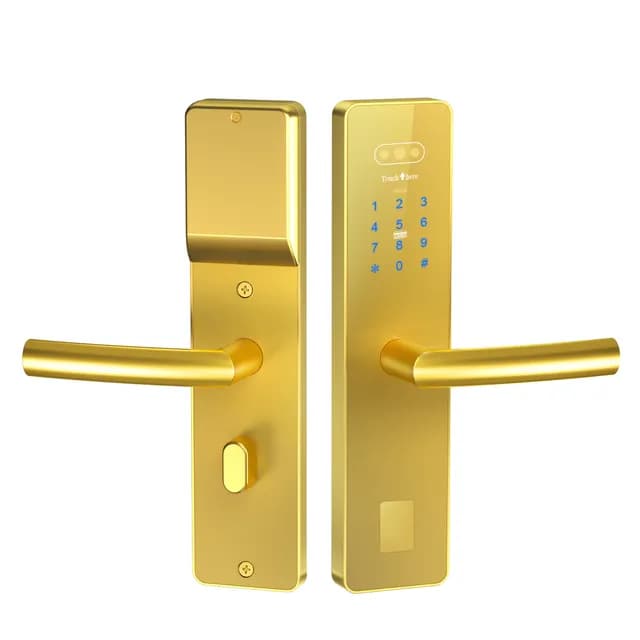
RFID / card hotel lock system for hotel room access, resorts, apartments and hospitality projects, with color variants and OEM/ODM support. Detailed specifications available upon request.
RFQ preparation
FAQ
No. In supported JoyInn workflows, guests can use an H5 room-card link and QR code access without forcing every guest to install the Guest App.
Yes. QR/PIN access should be planned as part of the hotel lock system workflow, while RFID room cards can still support reception issuing, return, renewal, lost-card handling and traditional guest operation.
For YOUNUO QR hotel lock projects, the JoyInn QR hotel lock software workflow and later maintenance are handled by Shenzhen YOUNUO IET. This is different from TTLock-compatible hotel lock projects, where the hotel management backend is maintained through TTLock / TTHotel.
Yes. The YOUNUO QR code hotel lock system can provide API interface support. For renovated hotels or projects keeping an existing hotel management system, YOUNUO IET can support later interface development after the original PMS, API documents, data workflow and project scope are confirmed.
Both directions can be reviewed. Online projects can use gateway-connected configuration and clock synchronization where supported. Offline projects can use approved App-based QR or Bluetooth device-configuration workflows depending on selected devices. Bluetooth here is for setup/configuration, not guest Bluetooth key unlocking.
For online deployment, authorization can be removed through the networked system. For offline deployment, staff may need to issue new authorization or use the approved deletion/configuration workflow so previous QR, card or PIN access is replaced.
No unsupported PMS claim should be published. PMS/API connection can be discussed only when the selected system, license, interface and project scope are confirmed.
QR hotel project RFQ Send room count, layout, required access methods, online/offline preference, staff roles, target market and installation schedule for project review.